
 Video Game Blog
August 13, 2019
In writing code, I was in a bit of a hurry and created a couple bugs for myself to find and eliminate. Fortunately the weirdest bug was a simple incorrect assignment of an array. But hey, when you're tired and coding, it's not a good idea.
Now to show the stages of creating paths...
In this first screen shot, you see that I've assigned several points.
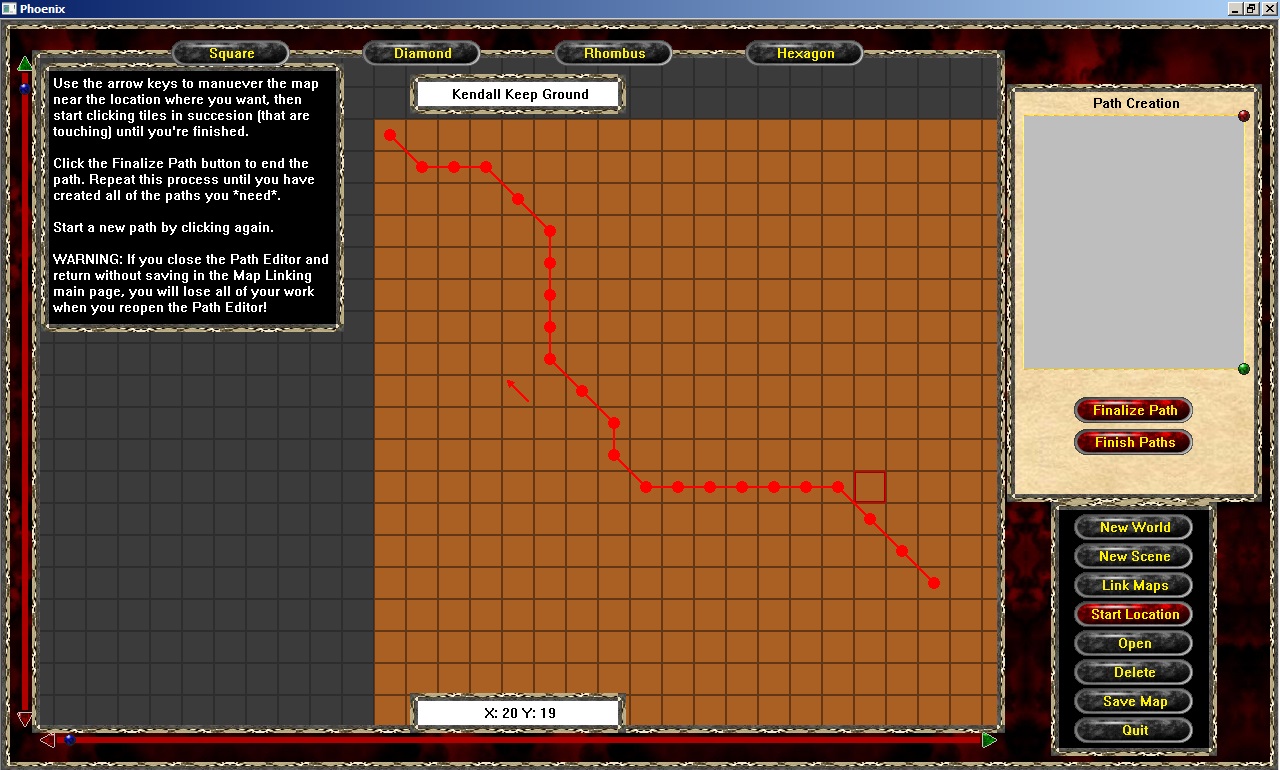
This shot, I've clicked the "Finalize" button on the right...and typed in a name for the path.
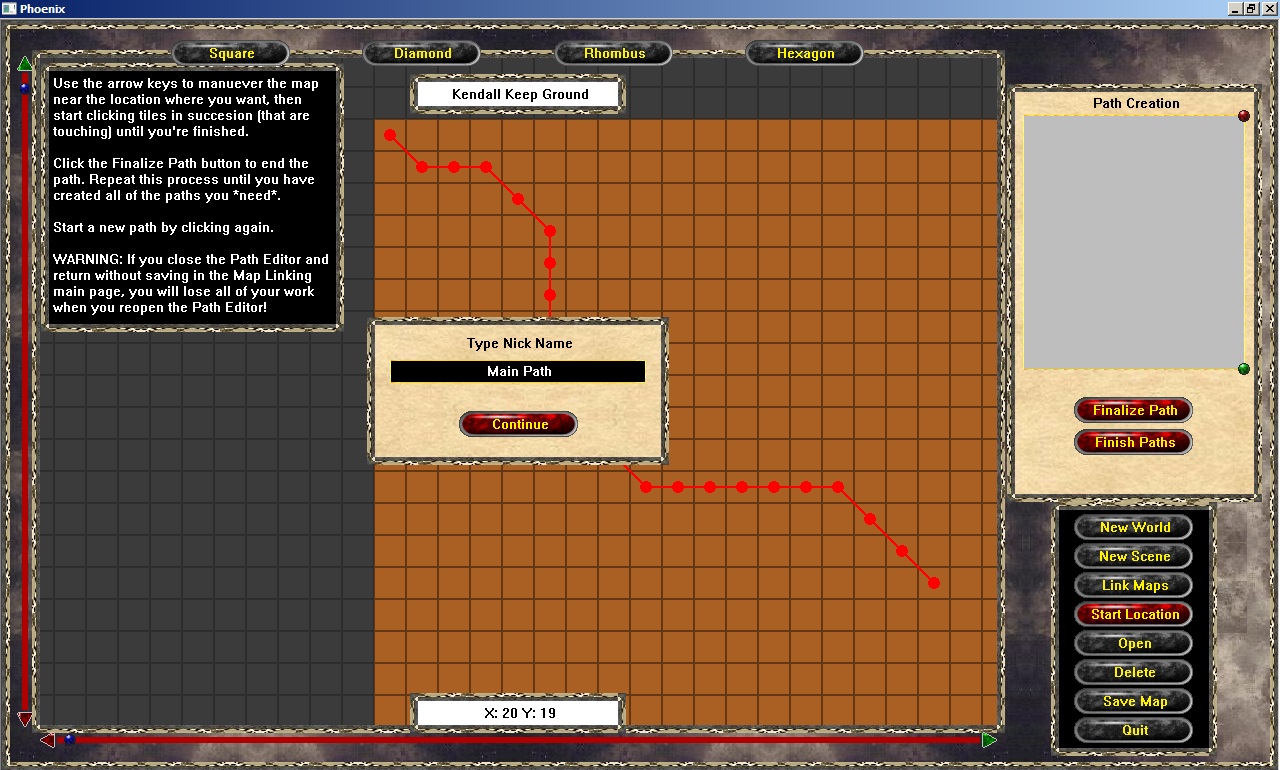
Clicking the continue button on the screen above automatically assigns the Editing Path into a Stored Path.
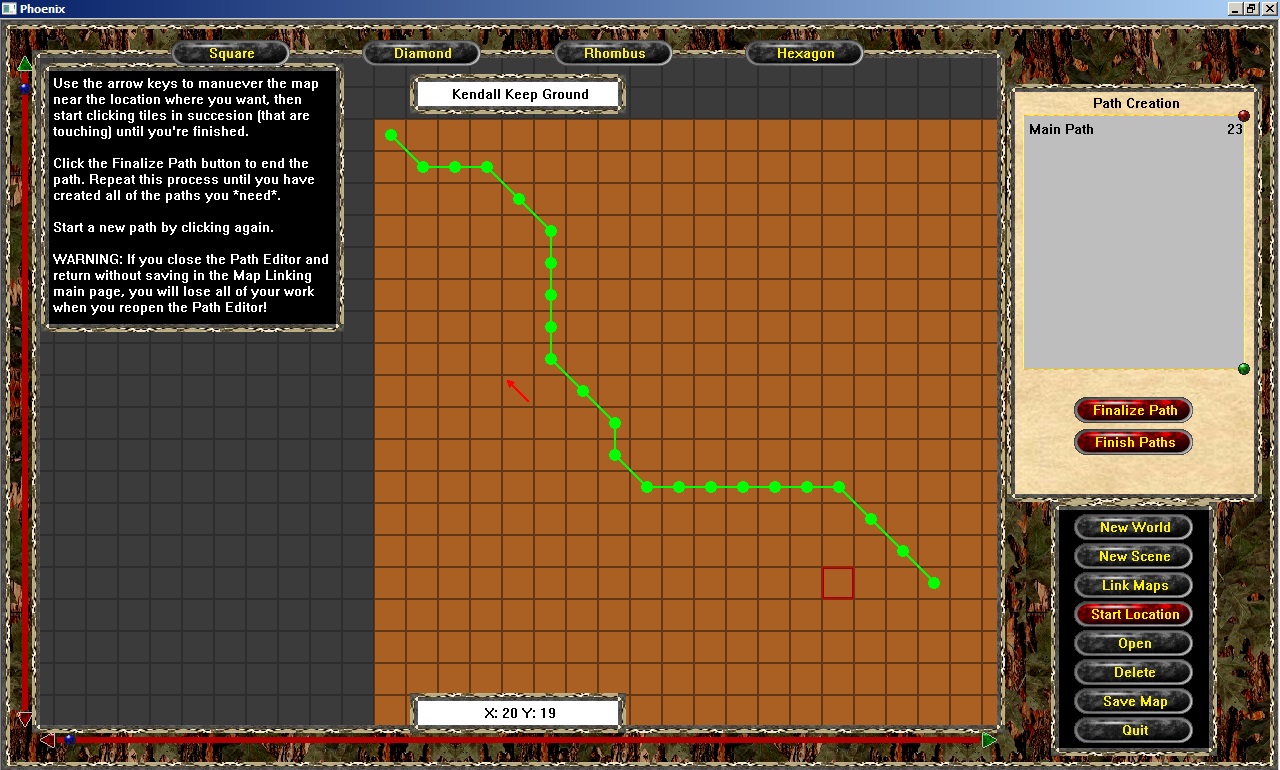
Simply clicking on the screen again, you will start creating another path, while the previous map(s) stay present to see them.
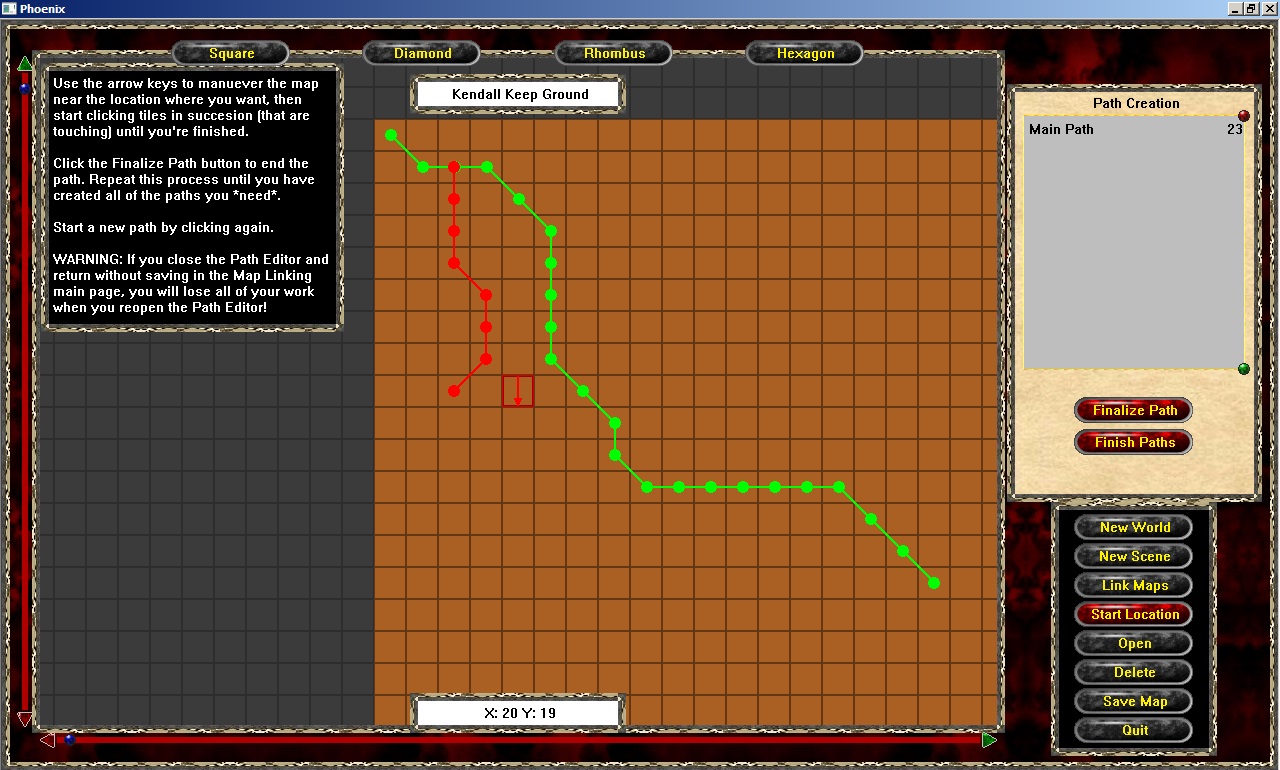
The process of Finalizing paths as you continues until you're done. Here's one last shot with an additional path on it.
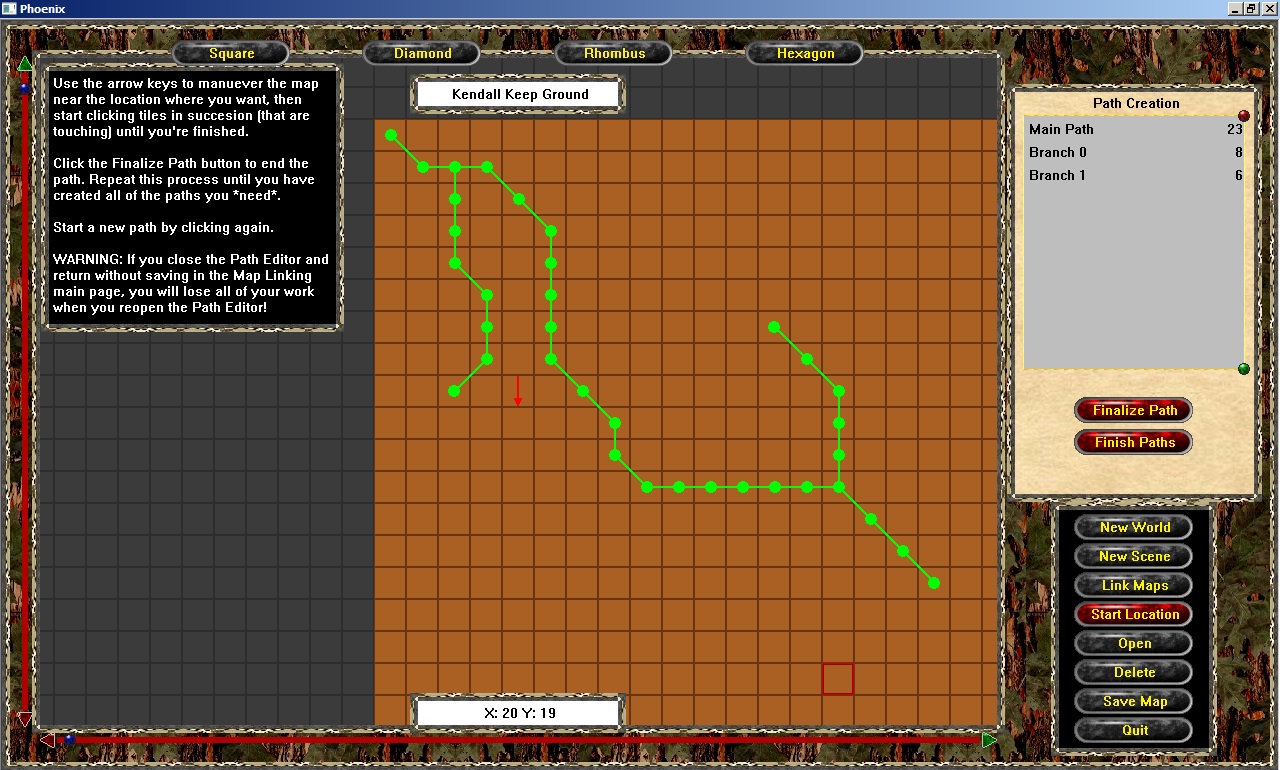
The final stage of this development is to save the paths to their file upon having the whole map "save" button clicked (not shown here).
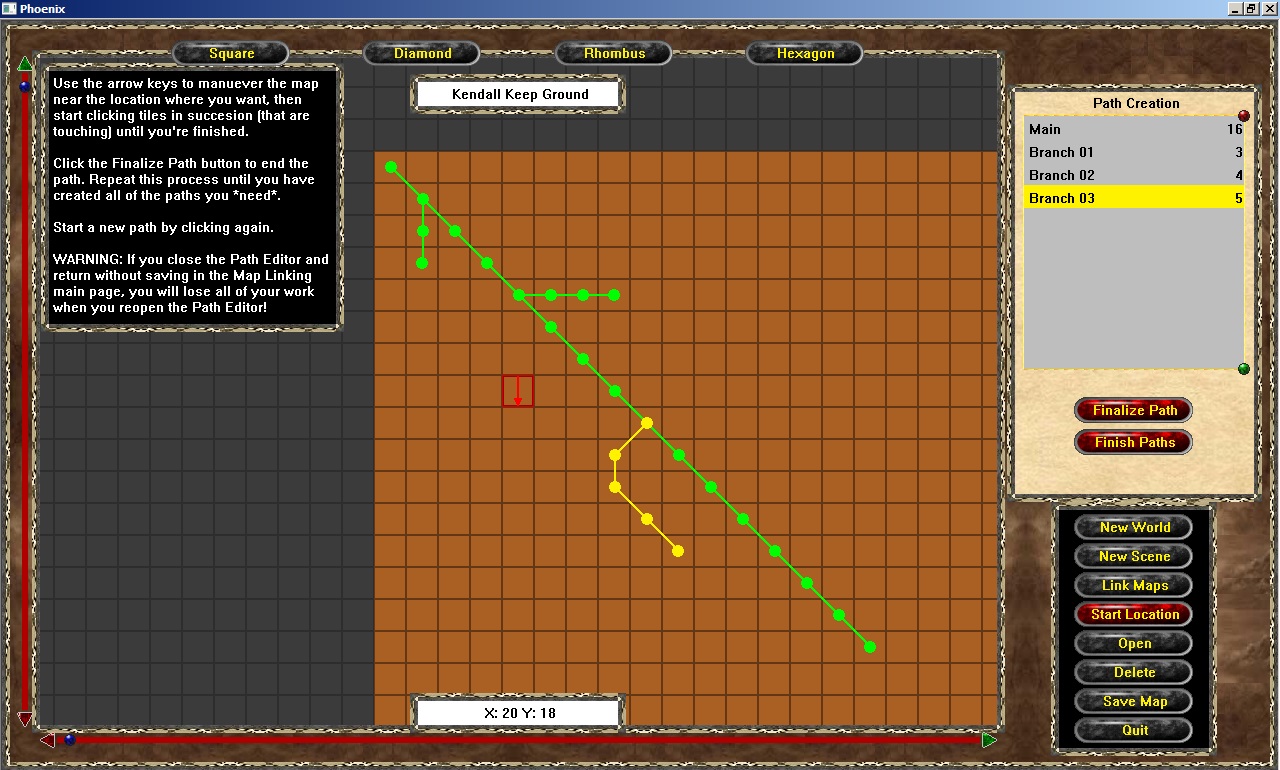
The intent of the list on the right of the screen showing the path names, is to allow the User to click on a name and it will get high-lighted on the screen. Which cane be seen in this screen shot...